Annotations: A Complete Guide to Document Annotations and PDF Annotation Types
Published: February 10, 2026

Every day, professionals across industries face a common challenge: how to collaborate effectively on documents without losing context, creating confusion, or compromising the original content. A contract may require legal review from three separate departments. A construction blueprint demands input from architects, engineers, and safety inspectors. A medical report must be evaluated by multiple specialists before a treatment decision is made.
In each of these scenarios, the solution is not merely sharing the document; it is enabling meaningful, traceable collaboration directly on the document itself. This is precisely where annotations become indispensable. Far beyond digital sticky notes or highlighted text, modern document annotations serve as the infrastructure powering document-driven workflows in the healthcare, finance, legal, government, and engineering sectors worldwide.
Understanding what are the annotations available and how they can increase collaboration and productivity is essential for all organizations that rely on structured document review and approval workflows.
Annotations are structured visual and interactive elements that sit on top of digital documents, enabling users to add meaning, feedback, and workflow context without modifying the original content. They are a foundational capability in modern document management systems, powering review, collaboration, approval, and validation workflows across industries. They exist across multiple categories, including markup, shape, textual, stamps, measuring, and e-signing annotations.
Core Categories of Document Annotations
There are three main categories of annotations, each designed to address a specific communication or review requirement:
- Markup Annotations: These annotations help reviewers visually emphasize specific content within a document. Using highlights, underlines, or strikeouts, users can draw attention to important text, flag suggested changes, or mark content for removal.
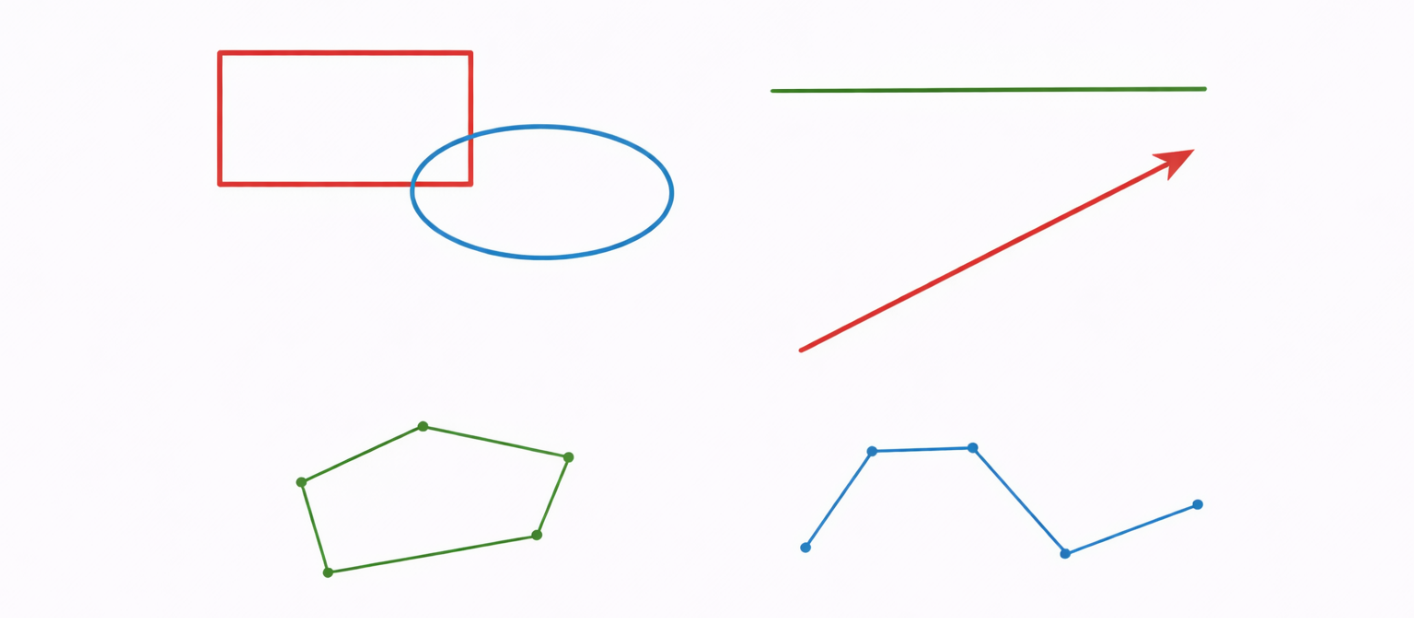
- Shape Annotations: Graphical overlays such as rectangles, circles, arrows, or freehand drawings that visually frame or point to specific areas within a document.
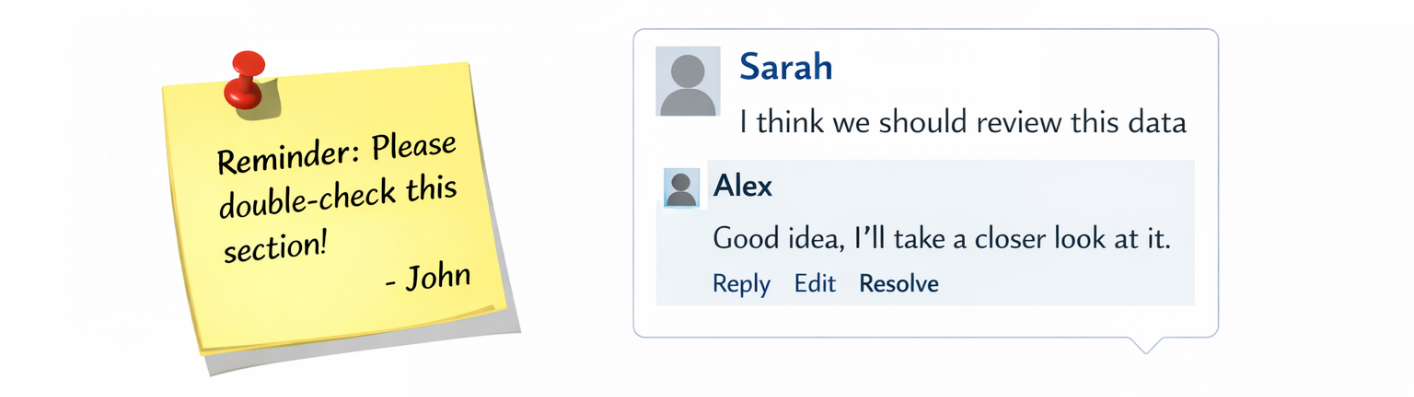
- Textual Annotations: Supplemental text elements, including sticky notes and floating text boxes, that allow users to add explanations, comments, or instructions.
Key Benefits
Annotations significantly improve document-centric workflows by promoting collaboration and clarity, leading to faster and more informed decision-making.
- Enhanced Collaboration: Multiple users can annotate the same document concurrently, with each annotation preserved as an independent object.
- Contextual Commenting: Comments and feedback are anchored directly to the relevant content, improving accuracy and reducing ambiguity during document reviews, while also allowing reviewers to tag specific users to draw attention, request input, or assign follow-up actions.
- Streamlined Approvals: Status-driven annotations such as stamps, signatures, and checkmarks enable fast, auditable approval cycles.
- Centralized Feedback: All comments, markups, and decisions remain embedded in the document, creating a single source of truth.
- Auditability and Traceability: Annotations retain metadata such as author, timestamp, and status, supporting compliance and accountability requirements.
Use Cases
Annotations are widely used wherever documents require collaboration, review, validation, or even decision-making.
- Document Approval Workflows: Organizations use annotations to expedite documents through structured approval cycles.
- Document Review and Quality Assurance: Legal teams, editors, and compliance officers rely on markup annotations to highlight issues, suggest revisions, and confirm accuracy without altering source content.
- Loan and Financials: In financial services, annotations help underwriters flag discrepancies, request additional documentation, and record internal decisions directly on application files.
- Insurance Claims Processing: Claims adjusters annotate reports and images to identify damages, document assessments, and support settlement decisions with visual evidence.
- Healthcare and Medical: Annotations enable collaborative review of medical reports, DICOM images, and discuss treatment plans, while ensuring HIPAA compliance and improving care coordination.
- Government and Public Sector: Annotations support legislative, services, and legal reviews, contract evaluations, and transparent governance while preserving document integrity.
- Technical and Operational Reviews: Engineering, construction, and manufacturing teams use shape and measurement annotations to review drawings, plans, and schematics with precision.
Annotation Types
What annotations are available for PDF files, and are they different? Simply put, PDF annotations are any structured layer of markup, comment, shape, or interactive element added on top of a document without altering its original content. Understanding the different annotation types helps organizations choose the right tool for each use case.
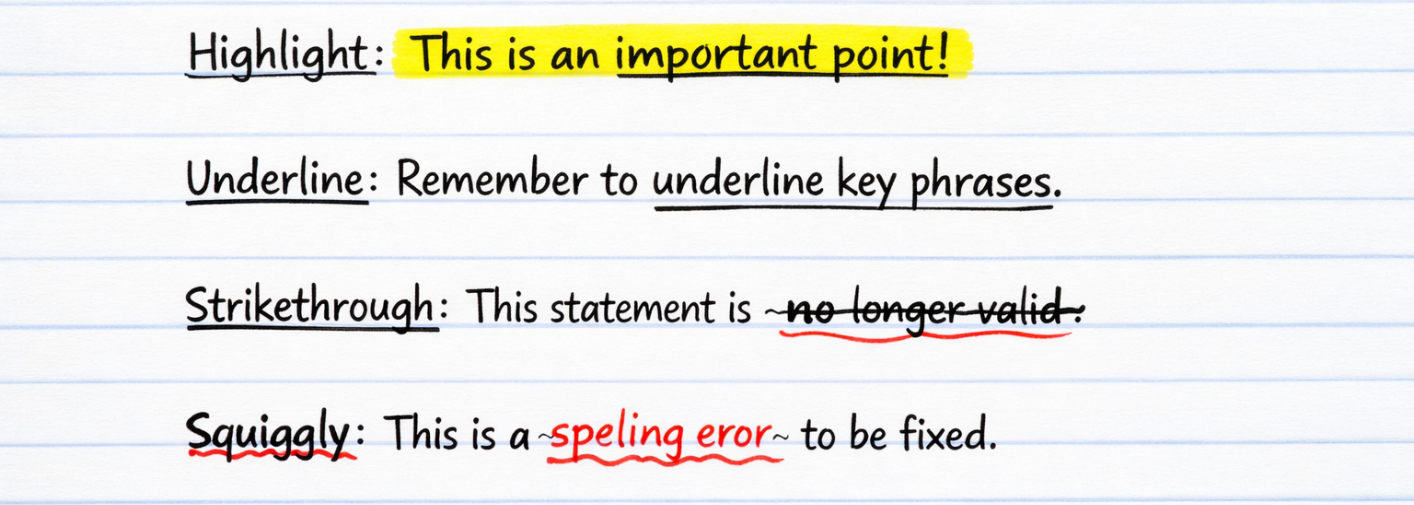
- Markup Annotations: Designed for review and commentary. Examples include highlights, underlines, strike-throughs, and squiggly lines.
- Non-Markup Annotations: Add interaction and functionality to a document rather than just visual emphasis. They enable actions like navigation, data entry, and approvals. Examples include links, sticky notes, form fields, checkboxes, buttons, and signature fields.
- Shape Annotations: Visually define regions of interest within a document. They are commonly used to outline sections, indicate areas of concern, or guide attention.
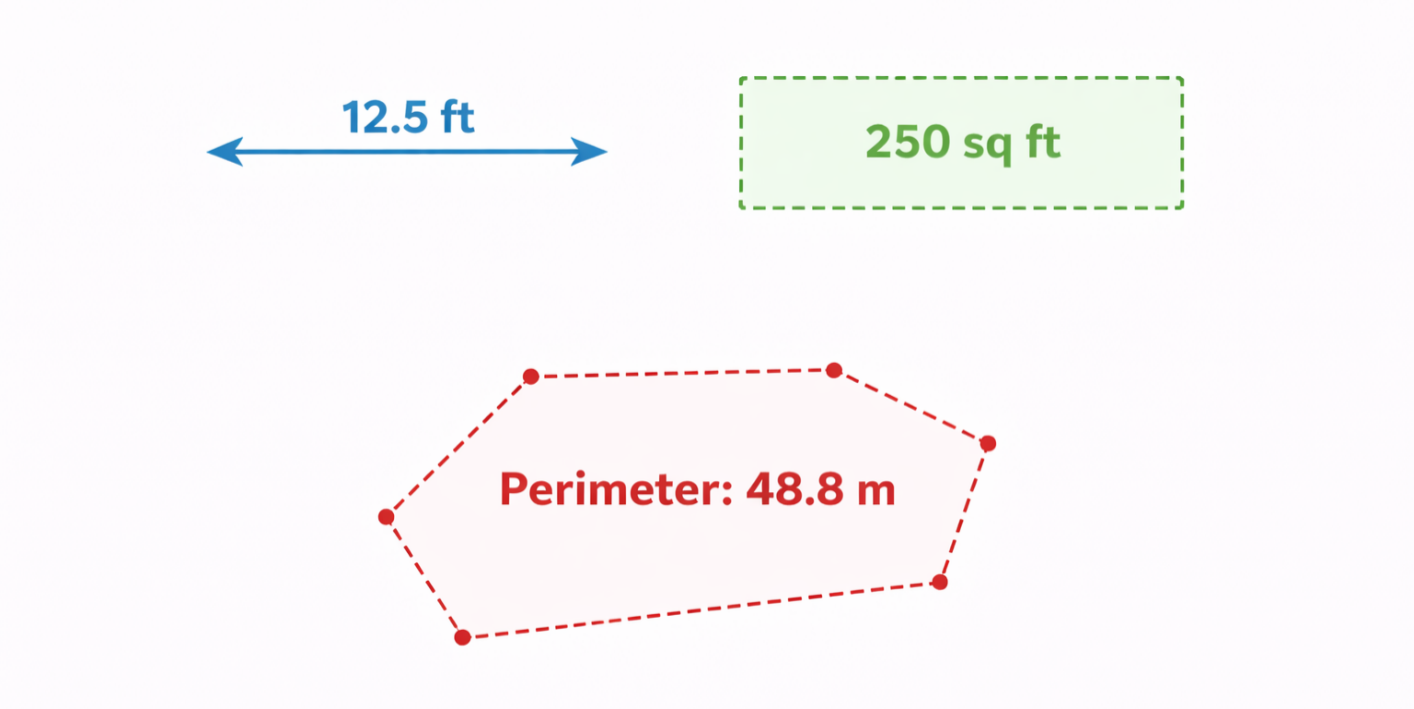
- Measuring Annotations: Calculate distances, areas, and perimeters based on document scale. These annotations are essential in medical, design, construction, and inspection workflows.
Detailed Annotation Types
Markup Annotation Types
Markup annotations are optimized for readability and review efficiency:
- Highlight — Emphasizes important text
- Underline — Draws attention to specific phrases
- Strike-through — Indicates removed or invalid content
- Squiggly lines — Flags potential issues or errors
Textual Annotations
Textual annotations allow users to add explanatory notes or comments, including sticky notes and free-text comment boxes. These annotations support threaded discussions and reviewer collaboration.
Stamp Annotations
Stamp annotations communicate document status instantly. Common examples include Approved, Rejected, Draft, and Confidential. Stamps are reusable and can be standardized across organizations.

Shape Annotation Types
Shape annotations provide visual clarity and are often used in audits, inspections, and technical documentation:
- Rectangles and ellipses
- Lines and arrows
- Polygons and polylines
Measuring Annotation Types
Measuring annotations support scale-aware calculations, including:
- Distance measurements
- Area measurements
- Perimeter measurements
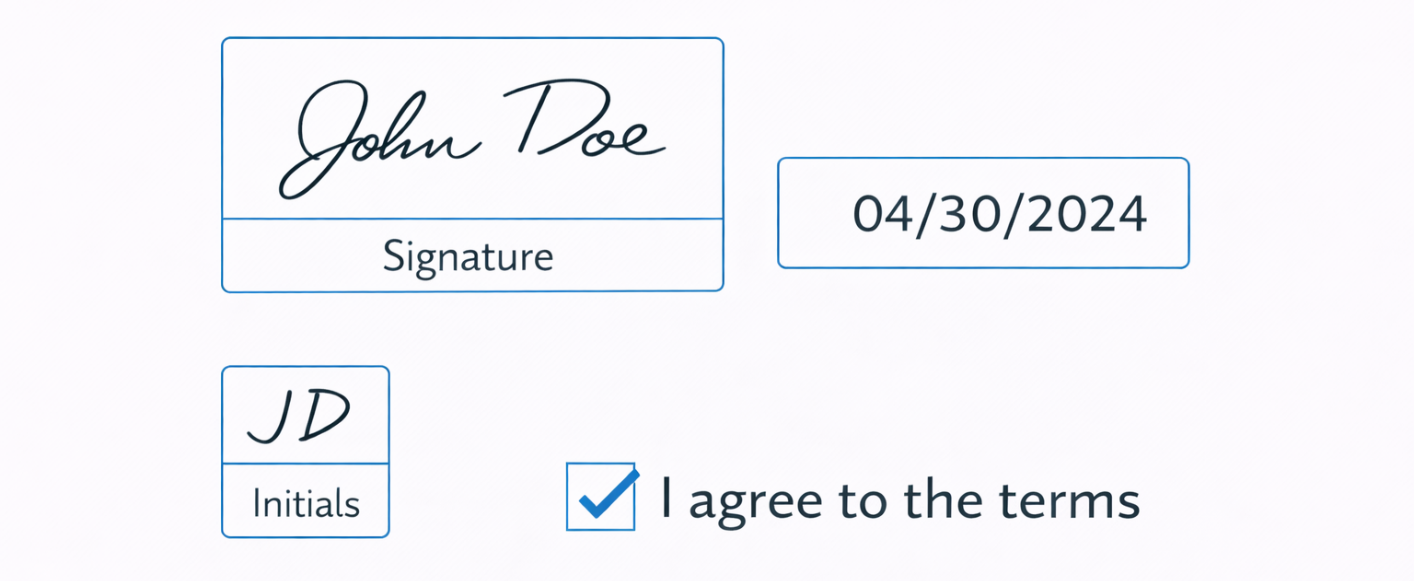
eSigning Annotations
eSigning annotations enable secure digital approvals and integrate seamlessly into digital signing workflows:
- Signature fields
- Initial fields
- Date fields
- Checkbox acknowledgements
Annotation Types and Their Usage Overview
| Category | Purpose | Examples |
|---|---|---|
| Markup Annotations | Visual review and emphasis | Highlight, Underline, Strike-through, Squiggly |
| Textual Annotations | Add notes and discussions | Sticky notes, Free-text comments |
| Non-Markup Annotations | Enable interaction/navigation | Links, Form fields, Media |
| Stamp Annotations | Indicate document status | Approved, Rejected, Draft |
| Shape Annotations | Highlight regions of interest | Rectangles, Arrows, Polygons |
| Measuring Annotations | Scale-based calculations | Distance, Area, Perimeter |
| eSigning Annotations | Secure digital approvals | Signature, Initial, Date |
MST Annotation Model
The MST eViewer 7 Annotation Model is powered by JavaScript APIs that allow developers to create, modify, and manage annotations programmatically. eViewer 7 exposes a high-level class called AnnotationService that provides APIs to create and manage annotations. Each annotation is classified by a unique ID, and its events can be captured via the CallbackAPIService class, giving developers precise control over each annotation element. It enables users to:
- Create new annotations (shapes, markup, text, stamps, etc.)
- Retrieve all annotations associated with a document
- Modify annotation properties
- Remove, hide, or filter annotations dynamically
- Add and manage comments and threaded replies
- Control annotation visibility at runtime
JSON-Based Annotation Representation
For client–server communication and integration scenarios, annotations are represented using a JSON-based data structure. This format enables annotations to be transmitted over APIs, stored externally, or synchronized across multiple clients. The following is a sample JSON object for a Rectangle annotation:
{
  "pageNo": 1,
  "annType": "Rectangle", {Annotation Type}
  "annCreatorName": "MST",
  "currentDate": "1/30/2026",
  "currentTime": "3:32:41 PM",
  "borderColor": "#FF0000",
  "opacity": "0.5",
  "borderWidth": "5px",
  "fillColor": "#96FEFE",
  "rotateWithPage": true,
  "borderOpacity": "0.5"
}
PDF Annotations
So, what are PDF annotations from a technical standpoint? PDF annotations are natively supported by the PDF specification and include markup, comments, stamps, form fields, and signatures. These annotations are embedded within the PDF file structure and can be interpreted by any compliant viewer.
The MST eViewer platform fully supports rendering and interacting with standard PDF annotations. Additionally, PDF-native annotations can be transformed into the platform’s internal annotation model, allowing unified behavior and cross-format consistency.
Developers can manage PDF annotations through dedicated APIs in the built-in PDF annotations library, enabling creation, editing, deletion, and export operations.
Non-PDF Annotations
Beyond PDF, MS Technology provides support for annotating on these formats associated with image-based, MS Office formats, and legacy document formats.
TIFF Annotations
TIFF (Tagged Image File Format) annotations are commonly used in scanned-document workflows. They enable highlights, shapes, and notes on image files where text content may not be selectable.
WANG Annotations
WANG annotations are legacy formats still present in many enterprise document repositories. Supporting these annotations ensures backward compatibility and seamless migration.
In the TIFF specification, WANG annotation data is stored in a private TIFF tag with ID 32932 (hex 0x80A4). This tag is not part of the baseline TIFF spec but has become a well-known private tag for embedding Wang-style annotations.
- Tag number: 32932
- Hex ID: 0x80A4
- Tag name: Wang Annotation (annotation data)
With eViewer 7, developers can render WANG annotations present in images and manage them through dedicated APIs in the built-in TIFF WANG annotations library, enabling creation, editing, deletion, and export operations.
TL / MO:DCA Annotations
TL (or T_L) annotations represent an IBM-proprietary binary annotation format, mostly associated with MO:DCA documents. MO:DCA was widely used with IBM ECM systems, including Content Manager, and is a subset of the AFP printing format.
Unlike TIFF, where annotations are written directly into the document stream using defined tags, MO:DCA TL annotations are stored in a separate binary file. Document viewing applications read these annotation files and overlay them on top of the document during rendering.
eViewer has deep expertise in managing MO:DCA annotations through its long-standing integration with IBM Content Manager. The platform provides comprehensive capabilities, including:
- Native rendering and display of MO:DCA annotations
- Bidirectional conversion between MO:DCA and other annotation formats
- Full read, write, and edit operations with persistent storage
- Preservation of annotation fidelity during format migrations
This support ensures organizations with legacy IBM systems can maintain their existing annotation workflows while gaining the flexibility to integrate with modern document management platforms.
Conclusion
Annotations are no longer just tools for adding notes or highlights to documents. They have become essential features for collaboration, review, and workflow efficiency across modern enterprises. With solutions like MST eViewer 7, organizations can streamline document processes, enhance productivity, and create smarter workflows through advanced annotation capabilities.
By supporting multiple annotation formats, from modern PDF annotations to legacy T_L, MO:DCA, WANG, and TIFF formats, MST eViewer 7 ensures organizations can leverage their entire document archive while building for the future.
Ready to transform how your organization collaborates on documents? Explore MST eViewer 7’s comprehensive annotation capabilities and discover how programmable, standards-based annotations can accelerate your review cycles, improve compliance, and create a true single source of truth for your document workflows.
Contact our team for a demo or start your free trial today.

Share This Article