How to Add Notes in PDF Documents — And Why It Changes Everything
Published: May 14, 2026
Think about the last time you reviewed an important document, either a contract, a compliance report, a research paper, or a colleague’s project proposal. Did you wish you could attach a quick comment without printing the document? You’re not alone.
The ability to make a note in PDF documents right inside the file, without switching tools or scribbling on a printout, is one of the most underrated productivity superpowers in the modern workplace. And yet, many professionals still aren’t taking full advantage of it.
This post breaks down every major way to work with PDF notes, why they matter across industries, and how MST’s eViewer document viewer makes the whole experience seamless, secure, and enterprise-ready.
Why PDF Notes Are More Powerful Than You Think
Paper has its charm, but once you start relying on PDF notes within digital documents, going back feels prehistoric. Here’s why:
- They are searchable. A sticky note on a printout never showed up in Ctrl+F. A digital annotation can.
- They are persistent and trackable. Every comment is saved to the file with a timestamp.
- They travel with the document. Share the file, and all notes come along.
- They support collaboration.
The Many Ways to Make Notes in PDF Files
Not all annotations are created equal. The PDF format supports a wide variety of note types; each suited to a different kind of feedback or review scenario. Here’s a complete rundown.
Sticky Note Annotations (Pop-Up Comments)
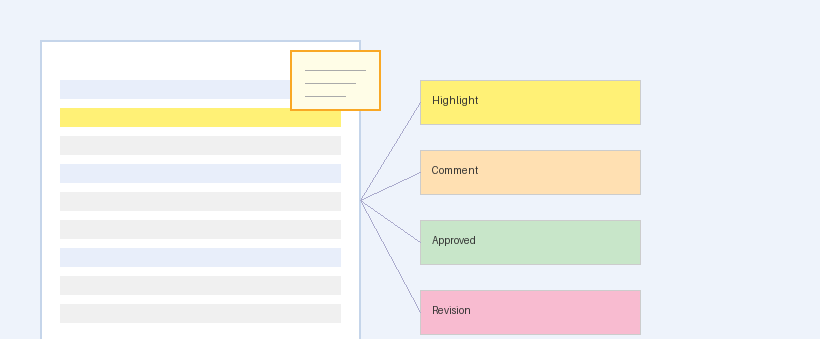
The digital equivalent of a Post-it note; sticky notes appear as small icons on the page. Click the icon, and a pop-up reveals the full comment. These are ideal for long-form observations, questions, or suggestions without cluttering the visible page. A legal reviewer can drop a 200-word note on a single clause, and the page still looks clean.
Free Text Annotations
Sometimes you just need to write directly on the page — a short label, a correction, a status marker like “APPROVED” or “REVISE.” Free text annotations let you place typed text anywhere on the document surface. Unlike sticky notes, they’re always visible without a click. Think of them as the digital cousin of writing in the margins.
PDF Notes Across Industries: Real-World Use Cases
The ability to add notes in PDF documents isn’t just a “nice to have” — in many industries, it’s a core workflow requirement.
- Legal: Attorneys annotate contracts for client review, flag clauses requiring revision, and mark exhibits for submission. Real-time collaboration between legal teams across offices becomes frictionless.
- Healthcare: Clinicians markup patient records, flag diagnostic images, and annotate referral documents for specialist review — all while staying within secure, HIPAA-compliant environments.
- Finance: Analysts annotate audit reports, highlight discrepancies in financial statements, and route reviewed documents with embedded feedback to stakeholders.
- Government: Federal and state agencies collaborate on policy documents, public records, and manage multi-department reviews with full audit trails.
- Engineering: Technical reviewers add notes to blueprints, flag design errors on CAD outputs, and circulate suggestions across project teams.
Tips for Getting the Most Out of PDF Notes
- Be specific in comments: Reference the exact text or data point you’re annotating. Vague notes slow down revision cycles.
- Use layers for multi-round reviews: Keep each review round separate so you can track how the document evolved.
- Leverage sticky notes for questions: When something needs clarification, a pop-up note keeps the question visible without interrupting the document’s visual flow.
Meet eViewer: The Enterprise-Grade Way to Annotate and Review PDFs
When your organization processes thousands of documents per day across distributed teams, you need something built for that scale. That’s exactly what eViewer by MS Technology was built for.
eViewer is MST’s flagship HTML5 document viewer — a zero-footprint, browser-based platform that lets users view, annotate, and collaborate on documents without installing a single plugin. Here’s what makes it stand apart for PDF note taking and annotation workflows:
- Full Annotation Suite: eViewer supports every major PDF annotation type — sticky notes, highlights, text, shapes, drawings, stamps, measurements, redactions, and a lot more — all from one intuitive interface.
- Universal Format Support: Beyond PDFs, eViewer handles TIFF, Word, Excel, MO:DCA, JPEG, and dozens of other format — all with the same annotation capabilities.
- Enterprise Security: Document security features, including role-based access, secure redaction, watermarking, and digital signature support, ensure your annotated documents remain protected end-to-end.
- Deep ECM Integration: eViewer integrates natively with IBM FileNet, OpenText Documentum, SharePoint, Salesforce, and more — so annotations flow directly into your existing document management ecosystem.
- Exposed APIs: Developers can customize every aspect of the annotation experience to match their application’s workflow and branding.
The results speak for themselves. Warner Bros. uses eViewer to review and annotate over 2 million hours of video content. The Social Security Administration achieved a 30% improvement in processing times.
Final Word: PDF Notes Are the Future of Document Collaboration
The days of printing, scribbling, scanning, and emailing back are over. Making notes in PDF files isn’t just more efficient, it’s also more accurate, more traceable, and more professional. Whether you’re managing contracts in a law firm, reviewing diagnostic reports in a hospital, or approving engineering drawings on a job site, PDF annotations give every stakeholder a voice directly within the document.
And with eViewer from MS Technology, your organization gets an enterprise-grade platform that turns those PDF notes into a structured, secure, and scalable collaboration layer across your entire document ecosystem.
Ready to transform the way your team annotates and reviews documents? Visit https://mstusa.com/ or explore eViewer at https://eviewer.net/ to request a demo today.

Share This Article