

Secure Digital Content
Watermark software enables your organization to protect content and claim ownership of your documents and images. Watermark your documents and images with eViewer with standard out of the box and custom watermarks. eViewer provides the ability to apply watermarks in more than 100+ document types including PDF, TIFF, MS Word, MS Excel, MO:DCA, and more.
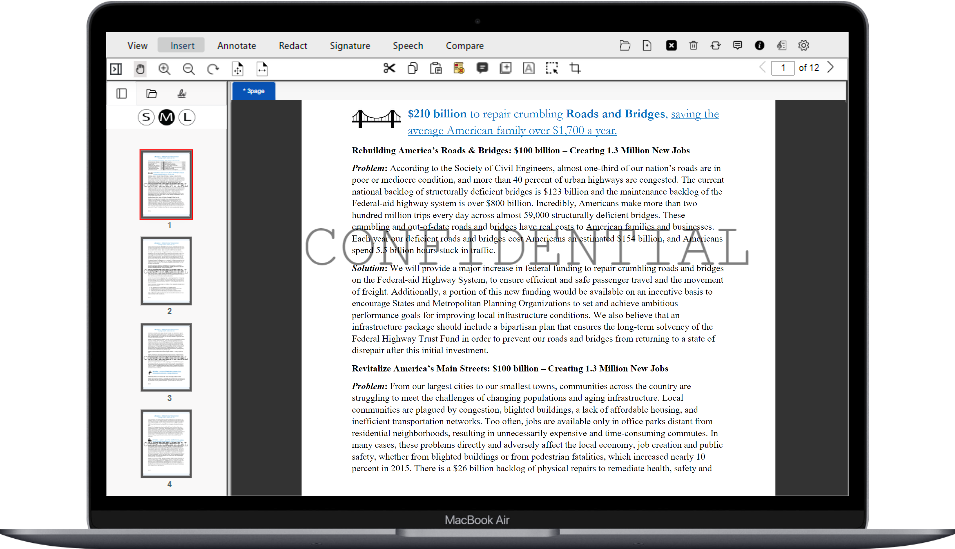
Key Benefits of eViewer Watermark
Protection against unauthorized use
Watermarks can prevent the unauthorized use or distribution of documents. By embedding a visible or invisible watermark with eViewer, the document can be traced back to its original source, acting as a deterrent against unauthorized copying, sharing, or misuse.
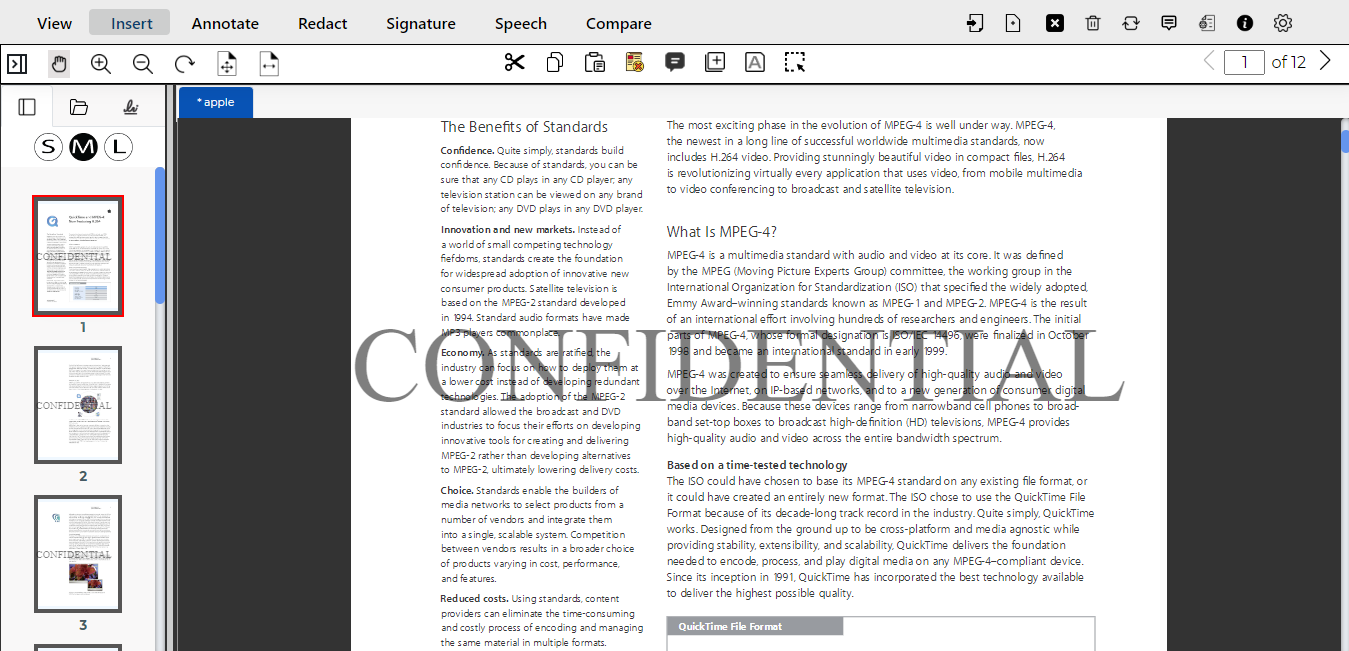

Ownership identification
Watermarks can help establish ownership and protect intellectual property rights. They provide a clear indication of the document’s origin and ownership, making it easier to prove authorship or ownership in case of disputes or copyright infringement.
Document integrity assurance
eViewer Watermarks can help ensure the integrity and authenticity of documents. For sensitive or important documents, watermarks can be used to indicate that the document is an official or original version, providing an added layer of trust and reducing the risk of tampering or unauthorized modifications.

Create Custom Watermarks
eViewer provides customizable watermarking options with the flexibility to tailor watermarks allowing you to establish a unique visual identity for the content. We offer the ability to add custom text, upload images, set transparency level, select the font style and size, position on the document, and style of the watermark.
Watermarking via APIs
Apply watermarks without launching eViewer using the viewer’s REST APIs. Developers can integrate eViewer’s features into their application to apply watermarks to documents and images stored in your organization’s repository.


Adobe Acrobat compatible
Adobe Acrobat recognizes watermarked documents created by eViewer for greater usability and mobility of documents.
Customer Support
- MS Technology provides worldwide support for eViewer HTML5 document and image viewer. Options are available to choose the best support plan that meets your organization’s needs.
- Our unmatched, technical support is available through our online portal, email, and web screen-sharing sessions. We are committed to providing exceptional customer support to ensure your experience with our software is smooth and successful.
- MS Technology continually updates the online documentation of eViewer HTML5 document and image viewer including API details, functionalities, and user guides.

Frequently Asked Questions

Used and Trusted by Thousands of Innovative Start-ups, Governments, and Fortune 1000 businesses Worldwide to Power their Products and Services





Get Started
Safeguard your digital content, establish your ownership, and enhance your brand’s visibility with eViewer.