

Elevate Your Multimedia Viewing Experience with eViewer HTML5
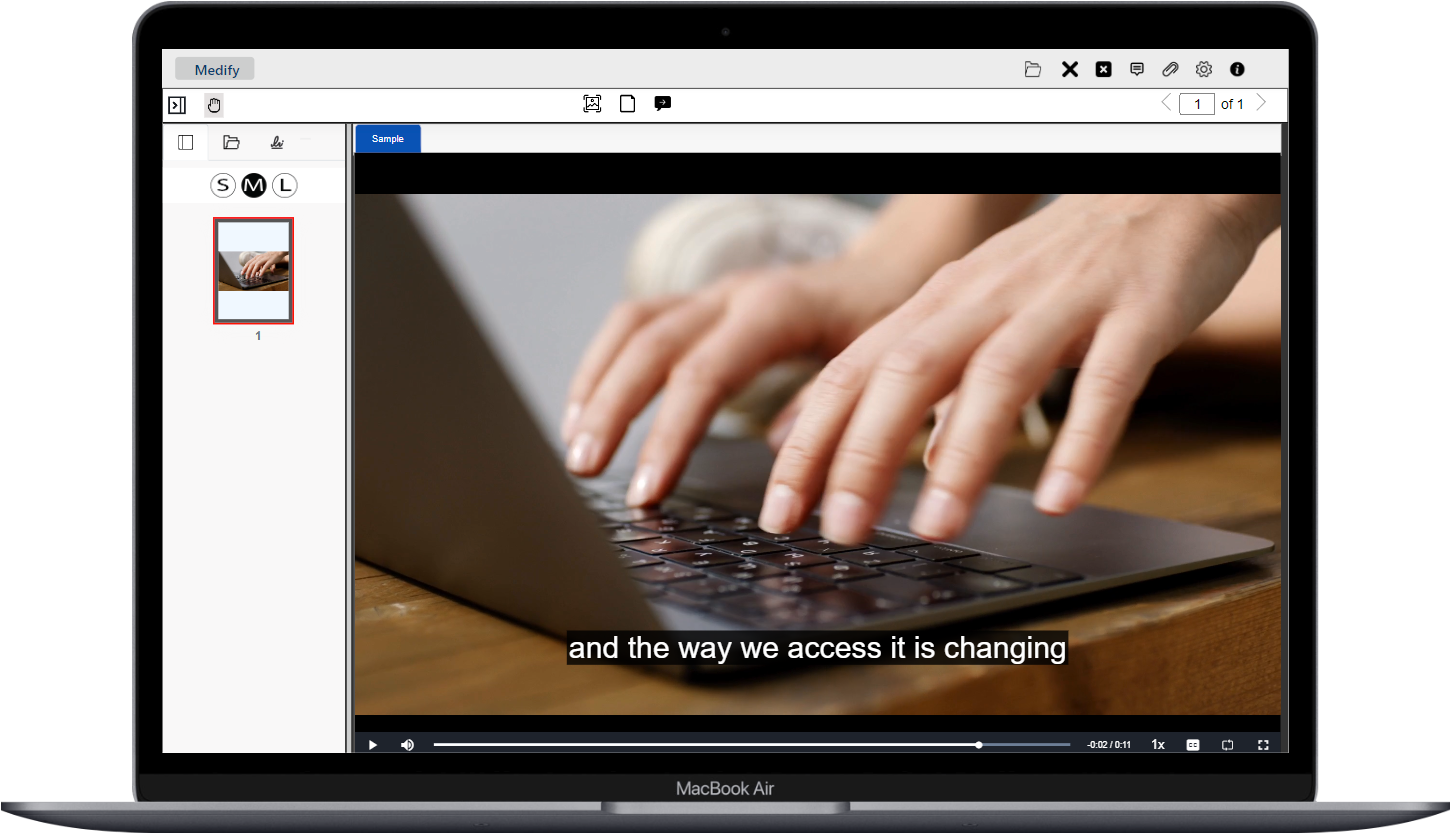
eViewer’s Audio and Video feature takes your content viewing experience to the next level. eViewer HTML5 document viewer doesn’t stop at just rendering documents, it also offers the option to present audio and video files within the viewer. There’s no need to install additional software licenses or plugins. Render your audio video files in the viewer on any web browser and enjoy instant access.
Key Benefits
Here’s how eViewer document viewer revolutionizes the way your users will interact with multimedia content:
No Format Conversion Necessary
Present audio or video files of various multimedia formats including MP4, AVI, WebM, WAV, MP3, and Ogg in the HTML5 viewer. eViewer seamlessly presents these media formats, saving time and CPU processing power by not having to convert media files before presenting.

Interactive Controls
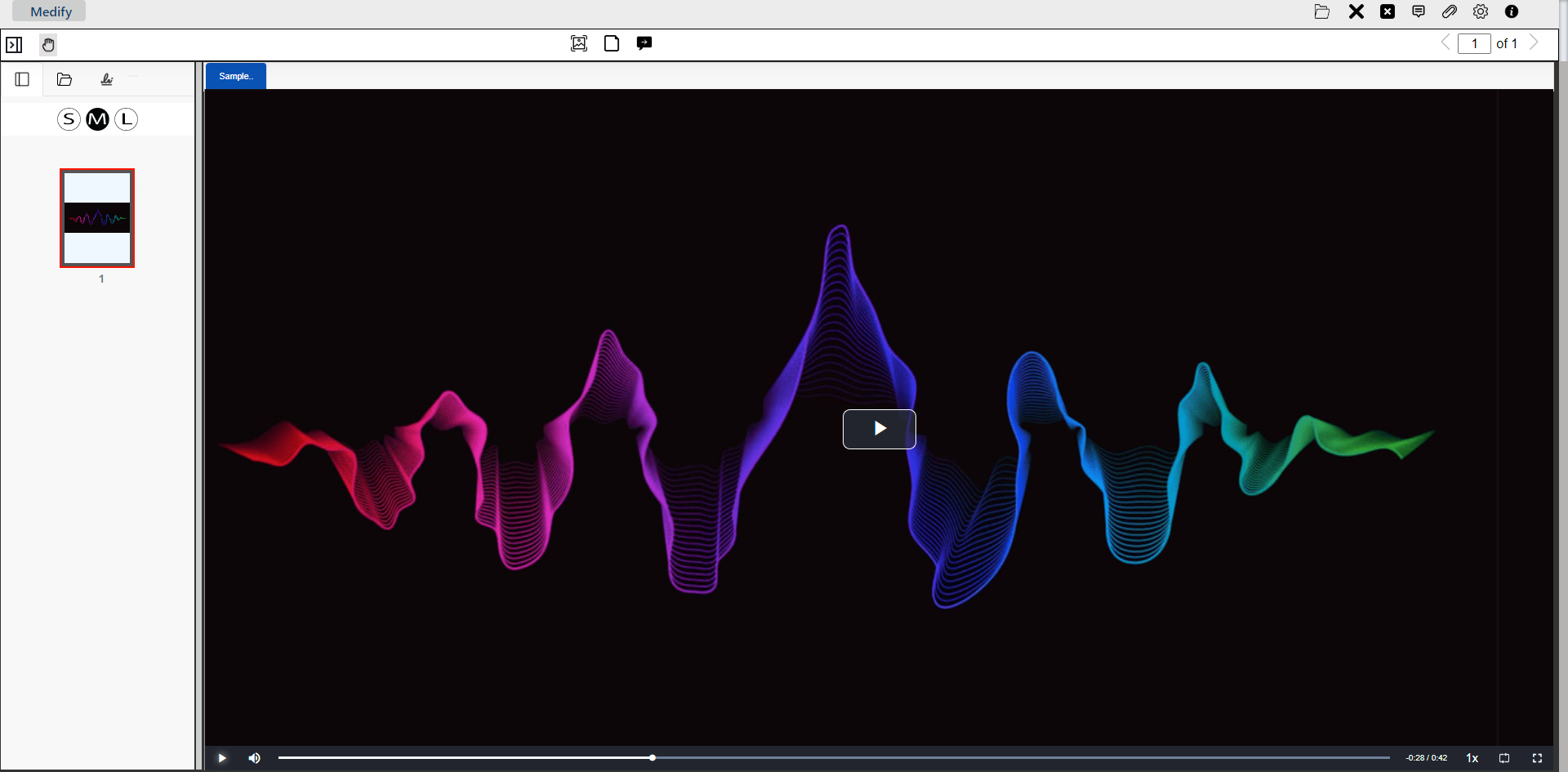
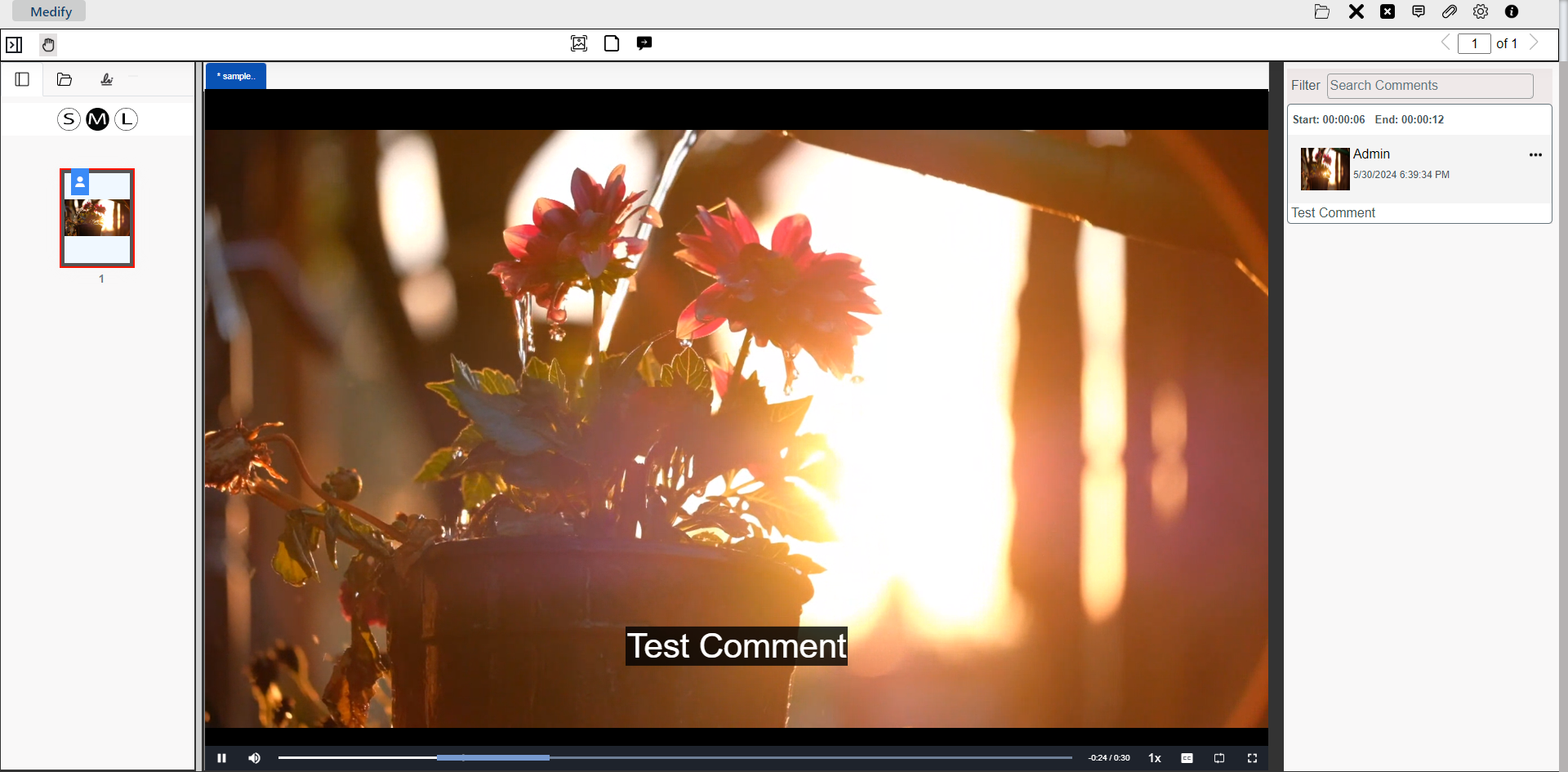
Play, pause, fast forward, or rewind to a specific moment using the control buttons or the seek bar. Adjust the volume, control the speed, and expand the video playback area from partial to full screen – all within the eViewer.
Caption Support
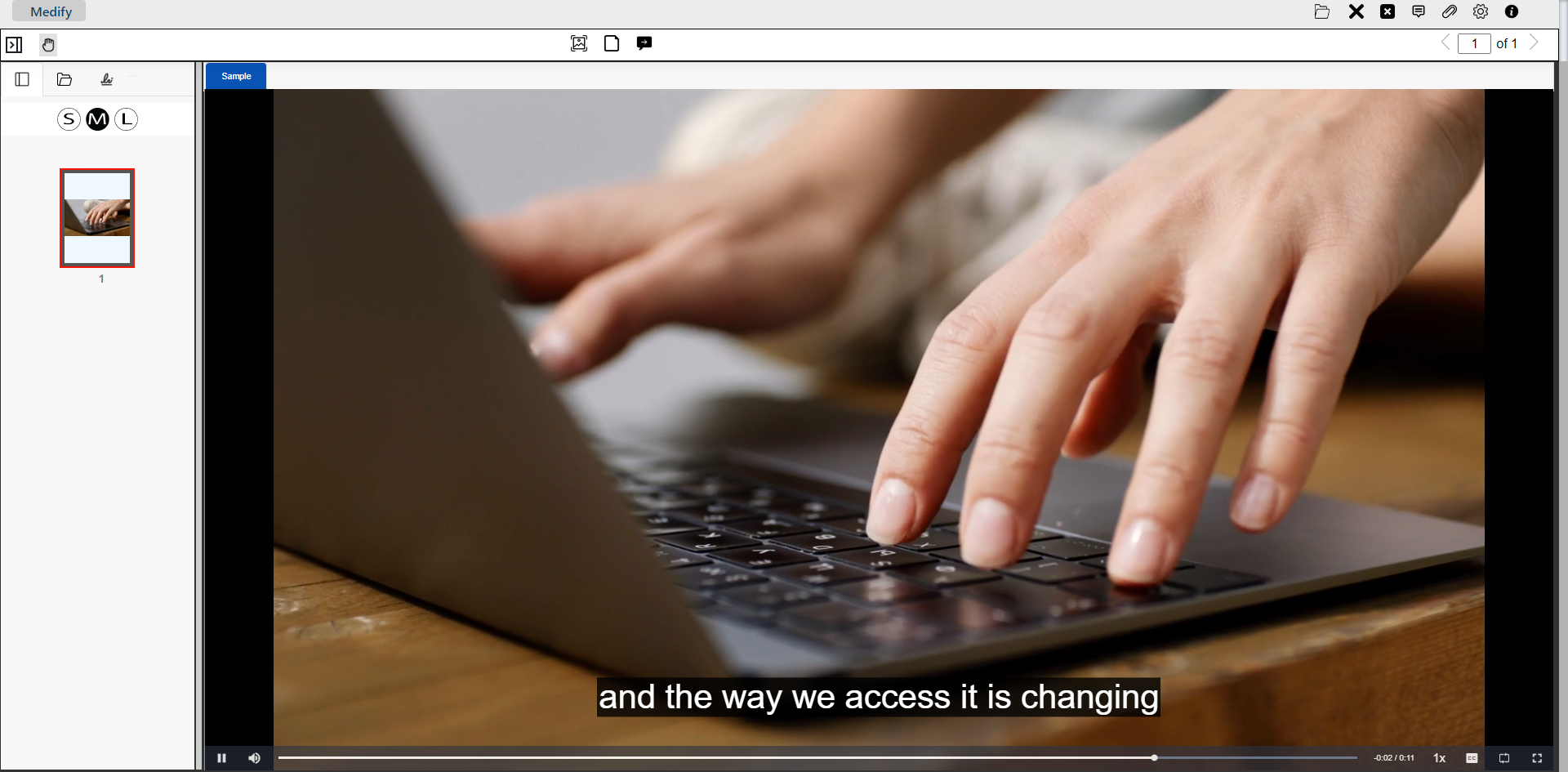
eViewer can display textual transcriptions of the audio or video content. When activated, this feature displays synchronized captions with media playback, providing accessibility for users who are deaf or hard of hearing, or for those who prefer text-based content. Users can toggle this feature on or off based on their preferences, ensuring an inclusive experience.
Audio and Video Playlist Support
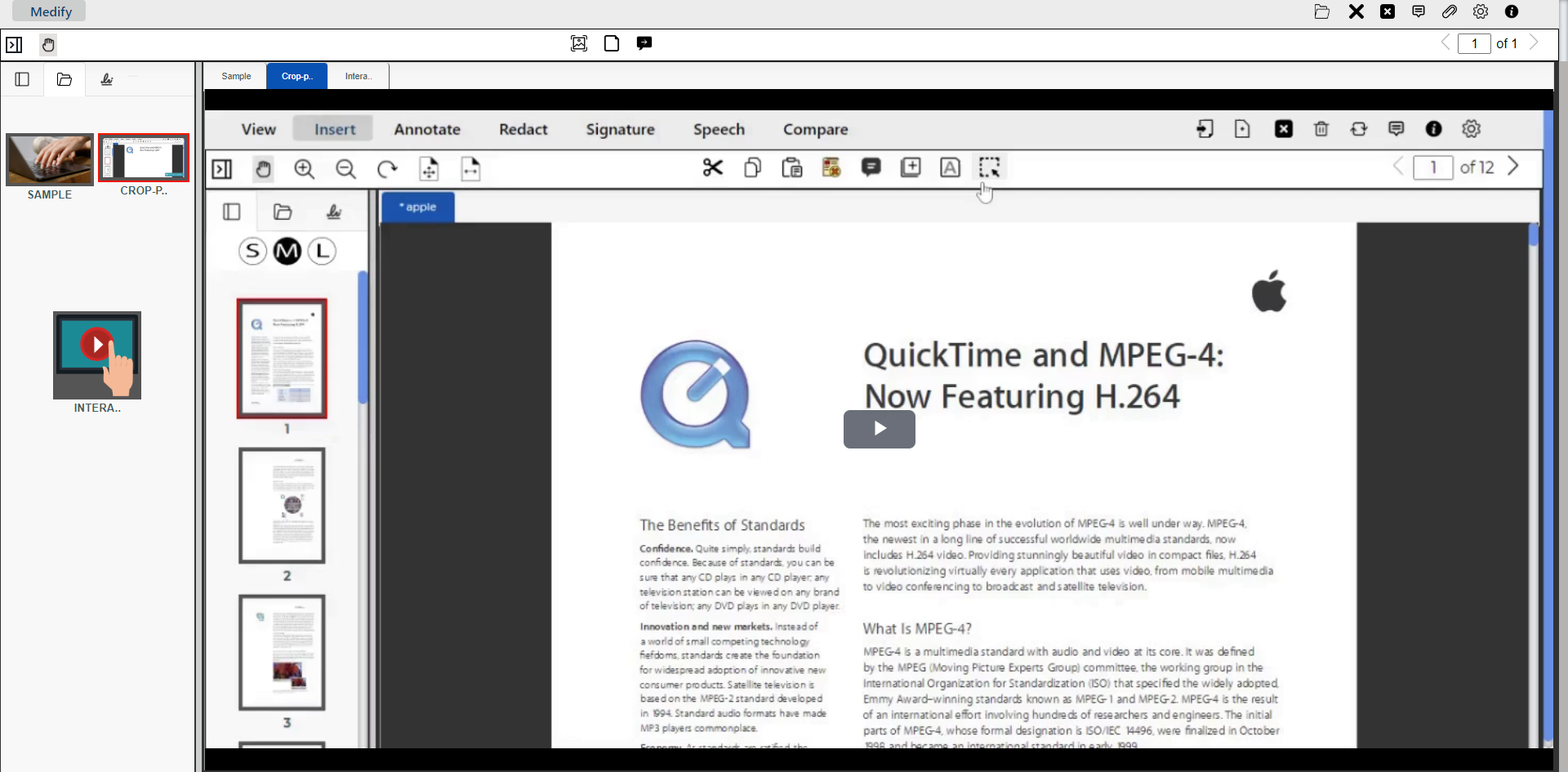
Load multiple multimedia files to be presented to the user within eViewer’s thumbnail window allowing for easy access, selection, and playback. Playback each file individually or automatically in a series with a preset playlist.
Seamless Collaboration
eViewer allows users to easily collaborate by adding, reviewing, and editing comments to audio and video files. Users can add comments on a particular timeline, search through comments, and communicate via replies. Additionally, users can capture snapshots of the video file, and include any accompanying comments.

Easy Application Integrations
eViewer deliveries all your content stored on your ECM, cloud storage, or your on-premises database to your users wherever they need to access the content from. Integrate with ease using over 100+ APIs in RESTful, JavaScript, and TypeScript provided with eViewer.
Customer Support
- MS Technology provides worldwide support for eViewer HTML5 document, image, and multimedia viewer. Options are available to choose the best support plan that meets your organization’s needs.
- Our unmatched, technical support is available through our online portal, email, and web screen-sharing sessions. We are committed to providing exceptional customer support to ensure your experience with our software is smooth and successful.
- MS Technology continually updates the online documentation of eViewer HTML5 document and image viewer including API details, functionalities, and user guides.

Frequently Asked Questions
Used and Trusted by Thousands of Innovative Start-ups, Governments, and Fortune 1000 businesses Worldwide to Power their Products and Services





Ready to Dive In
With eViewer HTML5 you can present, manage, and edit multimedia content quickly and easily.
Say goodbye to complex and separate applications for all your content management needs. eViewer is designed to fulfill all your needs from documents, to images, to media files with our full featured HTML5 viewer. Get started now and reimagine document and multimedia viewing with us!